Photographer's companion
Publisher Description
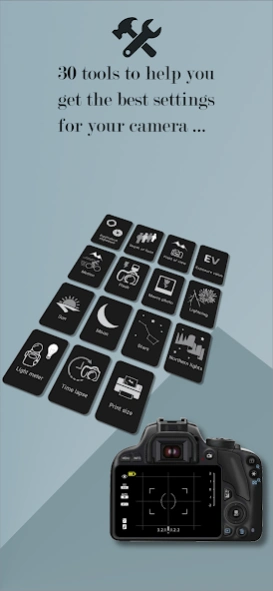
Helper application for photographers calculating adjustments to make.
/!\ THIS IS NOT AN APPLICATION TO TAKE PHOTOS, BUT TO HELP TO PERFORM SETTINGS IN MANUAL MODE ON A CAMERA OR A DEDICATED APPLICATION.
This application will help you to abandon the automatic mode of your cameras that does not do everything and control everything. For more experienced photographers, it can simplify the settings by doing the calculations for you (/!\ The camera must be adjusted manually).
In any case, it is not a magic application to make beautiful pictures every time, but it will allow you to find a basic setting to refine to get the best picture you think.
It is aimed at professional or amateur photographers (basic knowledge is required) and offers the tools to:
- Calculate the alternative/equivalent exposure (manages the ND filter and long exposures)
- Calculate the depth of field, hyperfocal and simulation of Bokeh
- Calculate the field of view
- Calculate the shutter speed to freeze the motion of a subject
- Capture/Photograph sunrise/sunset, the golden hours and the blue hours
- Get the position of the sun, time of sunrise/sunset, golden hour, blue time and monthly calendar
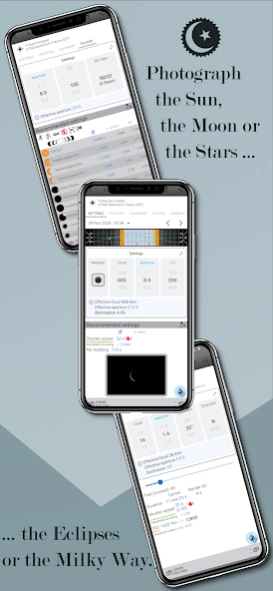
- Capture/Photograph the moon based on the phase of the day
- Capture/Photograph moonlit landscapes
- Get the position of the moon, the hour of moonrise/moonset and the monthly calendar
- Capture/Photograph the stars, the milky way without or with star trails (Simulator)
- Capture/Photograph the northern lights
- Capture/Photograph the lightning and the fireworks
- Calculate the best setting for an EV (exposure value) given
- Calculate distance or aperture with a flash
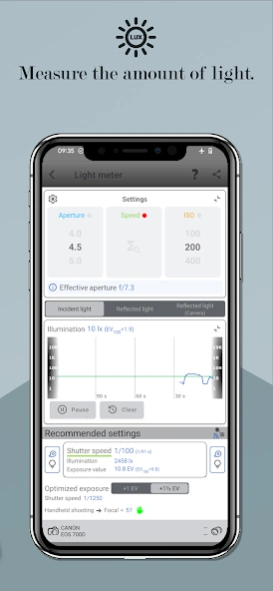
- Calculate the optimum settings according to the lighting of the place (Light Meter)
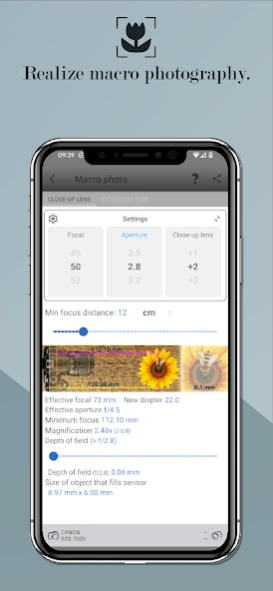
- Calculate for the macro photo the possible magnification with a close-up lens or an extension tube
- Calculate the print size
- Time lapse
- Get/Set the characteristics of a camera (sensor size, crop factor, sensor resolution, ISO range, shutter speed range, circle of confusion)
A countdown is available for long exposures.
If this app is right for you, you can switch to Photographer's Companion Pro (no ads with more features).
Do not hesitate to contact me, if you have ideas for changes, improvements, any bugs or for translations (stefsoftware@gmail.com).
16 languages available: EN, AR, CS, DE, ES, FR, IT, NL, PL, PT, RU, SL, TR, VI, ZH, ZH-TW
About Photographer's companion
The company that develops Photographer's companion is Stef Software. The latest version released by its developer is 1.0 .
To install Photographer's companion on your Android device, just click the green Continue To App button above to start the installation process. The app is listed on our website since 2026-09-23 and was downloaded 4 times. We have already checked if the download link is safe, however for your own protection we recommend that you scan the downloaded app with your antivirus. Your antivirus may detect the Photographer's companion as malware as malware if the download link to com.stefsoftware.android.photographerscompanion is broken.
How to install Photographer's companion on your Android device:
- Click on the Continue To App button on our website. This will redirect you to Google Play.
- Once the Photographer's companion is shown in the Google Play listing of your Android device, you can start its download and installation. Tap on the Install button located below the search bar and to the right of the app icon.
- A pop-up window with the permissions required by Photographer's companion will be shown. Click on Accept to continue the process.
- Photographer's companion will be downloaded onto your device, displaying a progress. Once the download completes, the installation will start and you'll get a notification after the installation is finished.
Program Details
System requirements
Download information
Pricing
Version History
version
posted on 2026-09-23
- Start of screen redesign
- Various small changes
- Bugfixes
version
posted on 2025-09-20
- Various small changes
- Bugfixes
version
posted on 2025-02-24
- 35 mm equivalent apertures added for cameras
- Various small changes
- Bugfixes
version
posted on 2025-02-21
- Application upgraded to v2.0 with new user interface
- Various small changes
- Bugfixes
version
posted on 2024-09-02
- Add a historical graph of lux values for the light meter (theme app v2.0 beta)
- Various small changes
- Bugfixes
version
posted on 2024-06-20
- Added the Moon's distance from the Earth
- Optimized calculation of the angle of the Moon's bright limb
- Use of the language choice defined for the application at system level (Android 13+)
- Various small changes
- Bugfixes
version
posted on 2024-03-18
- Aperture range extended to f/0.5
- Camera brand and model not created by the user can be edited
- Fix camera database cleanup when the application remained in the background for several hours
- Various small changes
- Bugfixes
version
posted on 2023-10-04
- Android SDK update in 34
- Aperture range extended to f/0.5
- Various small changes
- Bugfixes
version
posted on 2023-09-07
- Aperture range extended to f/0.5
- Various small changes
- Bugfixes
version
posted on 2023-06-29
- Calculation of real speed out of range for equivalent exposure
- Calculation of optimized incident light exposure for light meter
- Various small changes
- Bugfixes
